


Linking Orders and Appointments
On the DS Appointments page, you can navigate to the corresponding service order using the Open Service Order action:

The Job No. is used for this purpose. If the service order has already been deleted in TRASER DMS 365, an error message is displayed. Navigating to the related appointments from the service order is also possible:
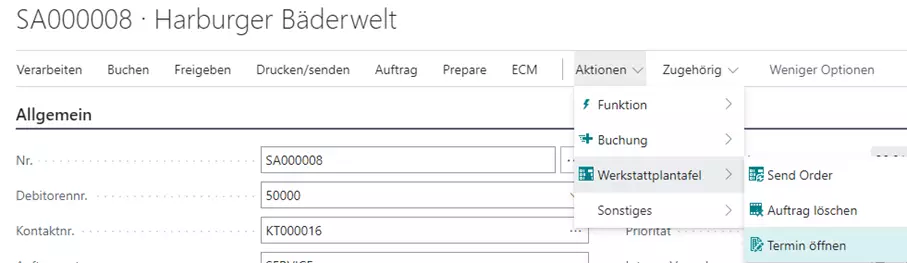
In this case, a list of all related appointments opens.
Direct Access to Service Items
In Dime.Scheduler, a Service Item Card link is automatically provided that opens the service item card directly in Microsoft Dynamics Business Central. This link is available for all service orders with a valid service item and opens in a new window so that planning is not interrupted.